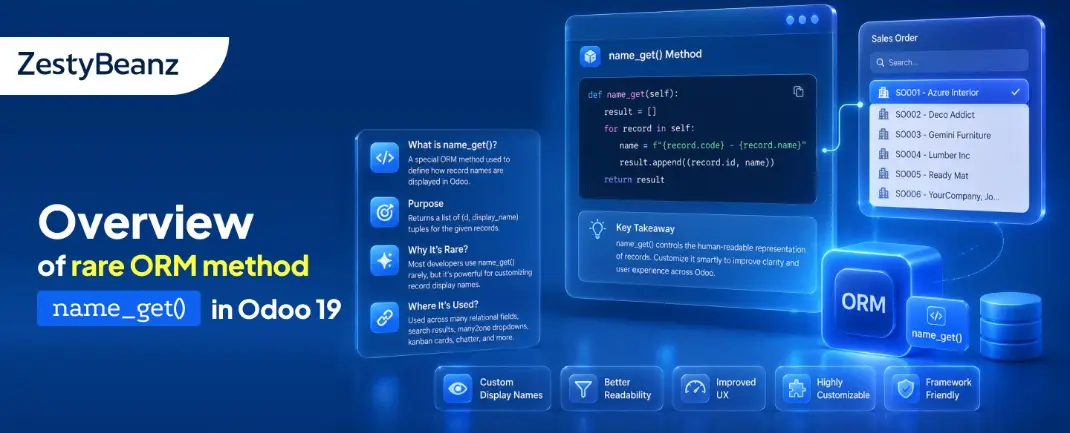
Odoo provides a powerful ORM (Object Relational Mapping) system that simplifies database interactions and record management. One of the most important features of the ORM is the way records are displayed throughout the user interface.
Whenever records are shown inside:
Many2one dropdowns
Search popups
Relational widgets
Breadcrumbs
Smart buttons
Odoo needs a human-readable label for each record.
By default, Odoo uses the _rec_name field to display records. However, in many real-world scenarios, displaying only the name field is not enough.
For example:
A student may need to be identified using both name and phone number
A product may require SKU + product name
An employee may need employee code + employee name
To solve this problem, Odoo provides the ORM method:
name_get()
This method allows developers to customize how records are displayed throughout the Odoo interface.
In this document, we will learn how to use the name_get() method in Odoo 19.
Understanding the name_get() Method
The name_get() method is an ORM method provided by Odoo.
It returns records in the following format:
[(id, display_name)]
Example:
[(1, "John | 9999999999")]
Odoo uses this returned value whenever it needs to display a record label in the frontend.
Where name_get() Is Used
The name_get() method is commonly used in:
Many2one dropdowns
Search More popups
Many2many relation fields
Smart relational fields
Breadcrumb navigation
Whenever Odoo needs to display a record name, it internally calls:
name_get()
Default Behavior Without name_get()
By default, Odoo uses:
_rec_name = "name"
Example:
_rec_name = "name"
In this case, Odoo displays only the name field.
For example:
John
Arun
Rahul
While this works well for small datasets, it becomes difficult when multiple records have similar names.
Use Case
Consider a Student Registration system.
Each student contains:
Student Name
Email Address
Phone Number
Instead of displaying only:
John
we want to display:
John | 9999999999 <john@gmail.com>
This makes records easier to identify inside relational fields.
1. Creating the Student Registration Model
Explanation
display_name
The display_name field computes the customized display label.
Example:
John | 9999999999 <john@gmail.com>
_compute_display_name()
This method combines:
Student Name
Phone Number
Email Address
into a single display string.
name_get()
The name_get() ORM method returns records in the format:
[(id, display_name)]
Odoo then uses this label throughout the frontend.
2. Creating View for Student Registration Model
3. Creating Student Attendance Model
Explanation
The student_id field is a Many2one field connected to the student.registration model.
Whenever users open the dropdown, Odoo automatically calls:
name_get()
to display the student labels.
4. Creating View for Student Attendance Model
5. Access Rights
How name_get() Works in the UI
When the user opens the Student Attendance form, the Student field appears as a dropdown.
Odoo automatically calls:
name_get()
from the student.registration model.
Instead of showing only:
John
the dropdown displays:
John | 9999999999 <john@gmail.com>
This makes records easier to identify.
Frontend Output
Student Registration Form
List view of Student Registration Form
Many2one Dropdown in attendance form
This dropdown displays records using the customized name_get() method.
List view of Student Attendance Form
Conclusion
The name_get() method in Odoo 19 is a powerful ORM feature that allows developers to customize how records are displayed throughout the frontend.
By overriding this method, developers can display meaningful labels using multiple fields such as:
Name
Phone Number
Email Address
Reference Codes
This improves usability, especially when working with large datasets or similar record names.
With a simple ORM customization, developers can create a cleaner and more user-friendly relational field experience in Odoo applications.
If you are looking for an ERP implementation partner with diverse industry experience feel free to contact us. We have proven track record of successful implementations across various sectors including Odoo for Manufacturing, Odoo for Trading, Odoo for FMCG, Odoo for Oil & Gas, Odoo for Diary, Odoo for Pharma, Odoo for Cosmetic Clinic, Odoo for Contracting Companies, Odoo for HVAC, Odoo for Logistics, Odoo for Automobile, Odoo for Laundry, Odoo for Field Service, Odoo for E-Commerce & many more
ZestyBeanz offers Developer / Consultant outsourcing programs, Chat with us in Whatsapp and Hire Odoo Developers, Mobile Application Developers, Consultants.