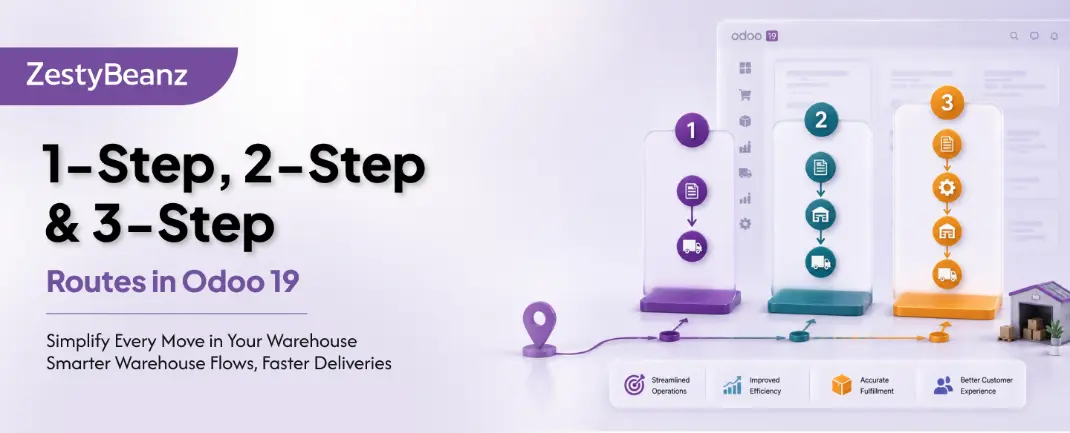
1-Step, 2-Step & 3-Step Routes
Understanding Operational Steps in Odoo 19 Inventory
One of the first decisions you make when setting up Odoo 19 Inventory is how many steps your warehouse will use to receive and deliver goods. Should products go straight into stock, or should they pass through an input zone, a quality check, or a packing area first? This blog explains every option — clearly, practically, and with real-world guidance on which setup suits your operation.
⚙️ PREREQUISITE | Enable Multi-Step Routes in Odoo 19 via Inventory → Configuration → Settings → Warehouse → Multi-Step Routes. Without this, only 1-step options are available. |
Receiving Routes
The receiving route controls how goods travel from your supplier to your main stock location. Odoo 19 supports three configurations, set independently per warehouse.
1-Step Receiving: Receive Goods
The simplest option. Products are validated off the delivery vehicle and immediately committed to WH/Stock in a single operation. There is no intermediate location — what arrives goes straight onto the shelf.
Step 1 | → | Step 2 |
Supplier | WH/Stock |
When to choose 1-Step Receiving:
Your warehouse is small and a single person receives and stores goods
Every product can go directly to a known shelf location without sorting
You do not require any quality inspection on receipt
You want the absolute minimum in administrative overhead
💡 TIP | 1-step receiving is ideal for service businesses or retail outlets receiving small, predictable deliveries directly to a single stock location. |
2-Step Receiving: Receive & Store
Goods are first received into a staging area — WH/Input — creating a receipt transfer. A second internal transfer then moves them from Input to their final storage location in WH/Stock. This gives your team time to count, sort, and direct products to the correct shelves or bins before they are committed to stock.
Step 1 | → | Step 2 | → | Step 3 |
Supplier | WH/Input | WH/Stock |
When to choose 2-Step Receiving:
You have a dedicated unloading/dock area separate from main storage
Multiple staff are involved — one team receives, another puts away
Products need counting or sorting before being stored
You want a clear audit trail showing when goods arrived vs when they entered stock
📦 REAL WORLD | A kitchen supplies wholesaler uses 2-step receiving. The dock team validates quantities against the purchase order at Input, and the warehouse team runs the put-away transfers to correct bin locations throughout the day. |
3-Step Receiving: Receive, Inspect & Store
The most controlled option. A dedicated Quality Control (QC) zone sits between Input and Stock. After goods are received at Input, an internal transfer moves them to WH/Quality Control. Only once inspection is complete does a final internal transfer move them into WH/Stock. Every stage is a separate, traceable transfer operation.
Step 1 | → | Step 2 | → | Step 3 | → | Step 4 |
Supplier | WH/Input | WH/Quality Control | WH/Stock |
When to choose 3-Step Receiving:
Regulatory compliance requires documented inspection records (e.g., food, pharma, electronics)
You deal with high-value goods where defect rates justify a formal QC gate
Your warehouse has physically separate receiving, QC, and storage zones
You need the ability to quarantine or reject goods before they enter stock
Delivery Routes
Delivery routes control how products travel from your stock to the customer. As with receiving, Odoo 19 gives you three options — and again, incoming and outgoing steps are configured independently.
1-Step Delivery: Ship
A single delivery order picks products from WH/Stock and hands them directly to the carrier. Everything — picking, packing, and handing over — happens in one operation.
Step 1 | → | Step 2 |
WH/Stock | Customer |
When to choose 1-Step Delivery:
Orders typically contain one or very few items
A single warehouse operative picks and ships without a handoff
You are shipping from a small operation with no staging area
2-Step Delivery: Pick + Ship
The most commonly used delivery configuration for growing businesses. A pick operation gathers all items from WH/Stock into an Output or staging area. A separate ship operation then dispatches the consolidated order to the customer. This clean handoff reduces errors and makes it easy to track order readiness.
Step 1 | → | Step 2 | → | Step 3 |
WH/Stock | WH/Output | Customer |
When to choose 2-Step Delivery:
Pickers and shippers are different staff or operate in different areas
You want to batch-pick multiple orders before dispatching
You need a staging/checking point before goods leave the building
You operate a loading bay separate from the main warehouse floor
📦 REAL WORLD | A B2B distributor uses 2-step delivery. The warehouse team picks orders throughout the morning into the Output zone, and the dispatch team verifies and loads vehicles at midday — two clear, auditable steps. |
3-Step Delivery: Pick + Pack + Ship
Designed for high-volume fulfilment operations. Items are first picked from storage locations, then moved to a dedicated packing area where they are boxed, weighed, and labelled. Finally, a shipping operation moves finished parcels from the Output zone to the carrier. This is the gold standard for e-commerce and wholesale fulfilment.
Step 1 | → | Step 2 | → | Step 3 | → | Step 4 |
WH/Stock | WH/Packing Zone | WH/Output | Customer |
When to choose 3-Step Delivery:
You process a high volume of orders daily and packing is a distinct operation
Different teams handle picking, packing, and dispatch
Parcels require weighing, labelling, or carrier scan at a packing station
You need full traceability from shelf to doorstep
💡 TIP | In 3-step delivery, Odoo 19 supports batch picking — grouping multiple orders into a single pick run — which significantly reduces picker travel time in large warehouses. |
Side-by-Side Comparison
The table below summarises the key differences across all three step configurations for both receiving and delivery operations.
Feature | 1-Step | 2-Step | 3-Step |
|---|---|---|---|
Operations | Receive directly | Receive + Put Away | Receive + QC + Store |
Complexity | Simple | Moderate | Advanced |
Best For | Small / simple ops | Medium warehouses | Large / multi-zone WH |
Quality Check | Not built-in | Possible at input | Dedicated QC zone |
Traceability | Basic | Good | Full |
Locations Used | Supplier → Stock | Supplier → Input → Stock | Supplier → Input → QC → Stock |
How to Configure Steps in Odoo 19
Steps are configured per warehouse, not globally. This means you can have different setups for each of your warehouses — for example, a 3-step receiving process in your main warehouse and a 1-step process at a satellite location.
To change the steps for a warehouse:
Go to Inventory → Configuration → Warehouses
Select the warehouse you want to configure
Under the Shipments tab, set Incoming Shipments and Outgoing Shipments independently
Save — Odoo automatically creates or removes the required locations (Input, QC, Output, Packing) and updates the route rules
✅ IMPORTANT | When you change the step configuration, Odoo 19 automatically adjusts the default routes and rules for that warehouse. You do not need to manually create or edit route rules when switching between 1, 2, and 3 steps. |
Mixing Incoming and Outgoing Steps
Incoming and outgoing steps are fully independent. Common combinations include:
1-step in + 2-step out: ideal for simple receiving but controlled dispatch
2-step in + 2-step out: the most popular all-round setup for growing SMEs
3-step in + 3-step out: full control for compliance-heavy or high-volume operations
3-step in + 1-step out: when receiving requires QC but delivery is simple
Summary
Choosing the right number of steps is one of the most impactful configuration decisions in Odoo 19 Inventory. The right answer depends entirely on your team structure, your physical warehouse layout, and your compliance requirements.
As a rule of thumb: start with the simplest setup that meets your operational needs. It is straightforward to add steps later as your business grows — Odoo 19 handles the route and location creation automatically when you update your warehouse settings.
If you are looking for an ERP implementation partner with diverse industry experience feel free to contact us. We have proven track record of successful implementations across various sectors including Odoo for Manufacturing, Odoo for Trading, Odoo for FMCG, Odoo for Oil & Gas, Odoo for Diary, Odoo for Pharma, Odoo for Cosmetic Clinic, Odoo for Contracting Companies, Odoo for HVAC, Odoo for Logistics, Odoo for Automobile, Odoo for Laundry, Odoo for Field Service, Odoo for E-Commerce & many more
ZestyBeanz offers Developer / Consultant outsourcing programs, Chat with us in Whatsapp and Hire Odoo Developers, Mobile Application Developers, Consultants.
#OdooDevelopment #Odoo18 #CustomChatterButton #TechnicalBlog #OdooCustomization #OdooTips #Odoofeatures