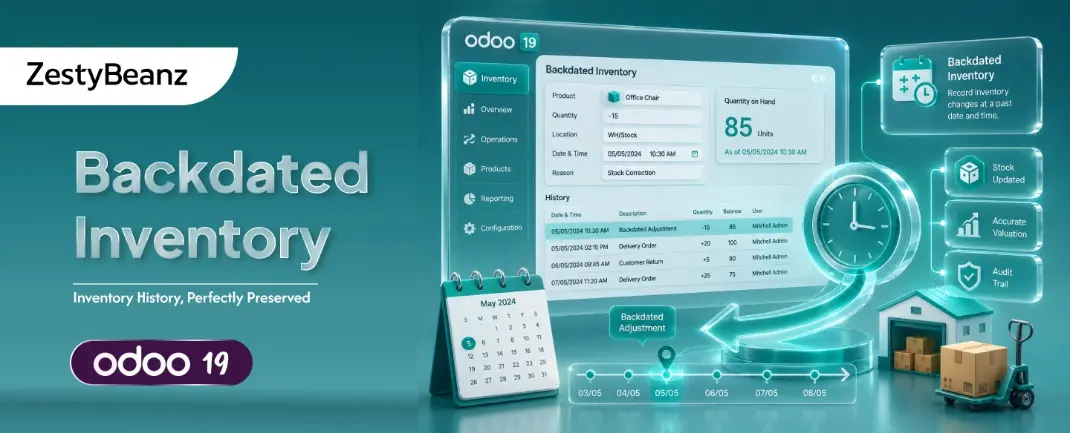
Odoo 19 Backdated Inventory How to Record, Manage & Understand the Financial Impact
What Is a Backdated Inventory Entry?
In any high-volume warehouse or distribution operation, stock movements frequently occur before they can be recorded in the system. A supplier delivery arrives on Friday afternoon, but the team only processes the Odoo receipt on Monday morning. A quarterly cycle count surfaces discrepancies from three weeks ago. A customer return lands in the warehouse the same day finance closes the month.
These situations demand backdated inventory entries — the ability to record a stock move using an effective date in the past, so that valuation, reporting, and accounting all reflect when the movement actually occurred, not when it was entered.
Odoo 19 Enhancement:
Odoo 19 introduces an improved stock move effective date editor with full audit trail logging. Unlike earlier versions where effective date changes not possible, Odoo 19 makes backdating a first-class, traceable operation — available directly to Inventory Administrators.
Why Backdating Matters — Business & Financial Impact
Incorrect effective dates on inventory moves are not just an operational inconvenience. They cascade into financial misstatements, audit findings, and operational decisions based on flawed data. The table below summarises the core business drivers:
Report / Area | How Backdating Affects It | Risk if Not Backdated |
Inventory Valuation Report | Stock value is restated as of the corrected date. FIFO/AVCO cost layers are recalculated retroactively. | Overstated or understated inventory asset on the balance sheet. |
Cost of Goods Sold (COGS) | When goods leave stock, the cost assigned changes if the entry date changes — especially under AVCO costing. | Incorrect gross margin reported; misleads pricing decisions. |
Stock Valuation Account (Ledger) | Journal entries for IN/OUT moves are posted with the backdated accounting date, correcting the period ledger. | Period close figures do not reconcile with physical stock. |
Inventory Aging Report | Lot/serial number age is recalculated from the corrected receipt date, affecting FEFO rotation and expiry alerts. | Oldest stock not prioritised; potential product expiry loss. |
Stock Move History / Traceability | The corrected date appears in all traceability reports, giving auditors an accurate timeline of physical movements. | Compliance audit failures; inability to trace recalls correctly. |
Vendor Bills & Invoice Matching | Three-way match (PO–Receipt–Bill) aligns on the corrected receipt date, preventing billing discrepancies. | Late payment penalties or early payment discounts missed. |
Financial Period Close (Accruals) | Backdated moves in a closed period trigger accounting entries in the correct period, supporting accurate accruals. | Unrecorded liabilities; restatement risk at audit. |
Product Profitability Report | Sales linked to the corrected stock date show the right cost, giving accurate product-level margin analysis. | Profitable products may appear loss-making and vice versa. |
Common Real-World Scenarios
The following scenarios represent the most frequently encountered situations where backdating inventory entries is not just useful, but operationally and financially necessary:
# | Scenario | Business Problem | Backdating Solves |
1 | 📦 Late Vendor Receipt | Goods physically received on the 5th but entered into Odoo on the 10th. | Set effective date to the 5th so valuation and accruals reflect the correct period. |
2 | 🔁 Customer Return | Product returned last month, but credit note and warehouse receipt only created this month. | Backdate the stock return to when goods were physically received back. |
3 | 📋 Audit Correction | Internal audit finds missing or duplicate stock entries from Q3. | Create or correct moves with the original Q3 date to restore accurate history. |
4 | 📊 Month-End Close | Finance needs a precise inventory value as of the last day of the month. | Backdate any pending moves to the last day so the closing balance is accurate. |
5 | 🏭 Production Corrections | Manufacturing order consumption was posted a day late; raw material cost must hit the right day. | Edit the component move date to the actual production date. |
6 | 📁 System Migration | Historical stock is loaded from a legacy system with original transaction dates. | Backdated entries ensure the new system reflects true historical movements. |
Prerequisites — User Access Rights
Before attempting to edit effective dates, ensure the user has the correct access level. Without Inventory Administrator rights, the date fields will be read-only.
Required Permission:
Settings › Users & Companies › Users › [Select User] › Inventory section → set to Administrator

Why this level specifically? The Inventory Administrator role unlocks the "Unlock" button on validated stock moves and grants write access to the date_done and scheduled_date fields on stock.move records. Without this, the edit button is hidden from the interface entirely.
Step-by-Step: How to Backdate an Inventory Move in Odoo 19
Follow these steps carefully. Once a move is validated and the accounting period is involved, changes have financial consequences. Always verify with your finance team before editing dates in a closed or locked period.
Navigate to: Settings › Users & Companies › Users
Select the relevant user and scroll to the Inventory section.
Change the access level from User to Administrator.
Save the record.
Go to: Inventory › Operations › Transfers
Search for the transfer using the reference number, partner name, or product.
Open the validated transfer — it will show status: Done.
Scroll down to the Detailed Operations tab to review the individual stock move lines.
On the validated transfer form, click the Unlock button (top-left, next to the status badge).
Odoo will prompt a confirmation — confirm to unlock.
The form will briefly reload and the date fields will become editable.
Note: Unlocking logs an entry in the chatter automatically for audit trail.


In the Scheduled Date or Effective Date field, set the correct historical date.
For individual move lines, edit the Move Scheduled Date column in Detailed Operations.
Ensure the date matches the physical movement date — cross-check delivery notes or GRN documents.
If the period is closed in accounting, Odoo 19 will warn you — confirm if your finance team has approved the correction.
Impact on Inventory Reports Under Accounting
Inventory Valuation Report
The Inventory Valuation report (Accounting › Reporting › Inventory) is the primary financial view of stock. It calculates the value of stock on hand at any given date by summing all incoming and outgoing moves. When you backdate a move:
The cost layer for that product is inserted at the corrected date.
Under AVCO (Average Cost) costing, the average unit cost is recalculated from that point forward — affecting all subsequent moves.
Under FIFO costing, the backdated lot enters the FIFO queue at the correct position.
Running the report 'as of' a past date will now include the corrected move.
Stock Valuation Accounting Entries
Every validated stock move in Odoo (with an automated accounting method) generates a journal entry. The accounting date of that entry is determined by the move's effective date. When you backdate and re-validate:
The original journal entry is reversed.
A new entry is created with the corrected date.
If the original period is locked (e.g., month-end close was posted), Odoo 19 will redirect the entry to the next open period unless overridden by an Accounting Administrator.
Inventory Aging & Lot Traceability
For companies using lot or serial number tracking, the effective date of a receipt move determines the age of that lot. Backdating a receipt:
Updates the lot's 'receipt date' used in FEFO (First Expired, First Out) rotation.
Corrects expiry date calculations if expiry is tracked relative to receipt date.
Updates the Stock Move History report to show the correct physical timeline.